
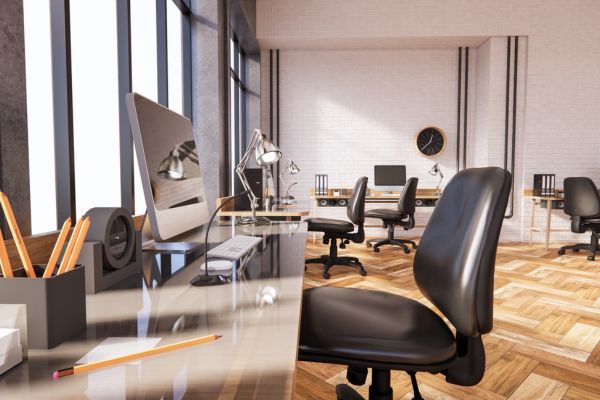
Why Open Office Furniture Matters
Open office furniture plays a major role in how people use a workplace. It affects movement, comfort, teamwork, privacy, and productivity. In an open office, the right furniture does more than fill the room. It helps define work areas, guide traffic, reduce clutter, and support the way employees do their jobs each day.
Many companies use an open plan because it can improve communication and make better use of available square footage. Current workplace design trends also point toward flexible layouts, modular office furniture, acoustic planning, wellness-focused spaces, and hybrid-ready work areas. These ideas are especially important when a business wants its office environment to feel useful, modern, and people-centered.
Still, an open office needs careful planning. Without the right office layout, teams may struggle with noise, distractions, and a lack of personal space. Good furniture choices help solve these problems. Desks, seating, storage, partitions, meeting tables, and lounge pieces can all work together to create a balanced work environment.
Start With the Type of Work Your Team Does
Before choosing office furniture, look closely at the type of work your team performs. A sales team may need quick collaboration spaces, shared tables, and easy access to technology. A design team may need large surfaces, pin-up areas, and flexible project zones. A finance or legal team may need more acoustic privacy, monitor support, and secure storage.
Different types of office settings call for different furniture plans. Some businesses need benching systems for teams that work side by side. Others need a mix of office workstations, private focus booths, and informal meeting spaces. The goal is to match furniture to behavior, not force employees to adapt to a layout that does not support their tasks.
It also helps to ask simple questions. Do employees spend most of the day on calls? Do they need quiet time for deep work? Do they meet with clients? Do they share equipment? Do they work in the office every day or follow a hybrid schedule? The answers should guide your floor plans and furniture selection.
Design Work Areas With Clear Purpose
A strong open office is not one large room filled with desks. It is a planned office environment with zones. Each zone should have a clear purpose. Common work areas may include individual desks, team neighborhoods, meeting spaces, quiet rooms, touchdown stations, lounge areas, and storage points.
Furniture helps shape those zones. Low dividers can separate focus areas without closing off the room. Mobile whiteboards can create project spaces. Soft seating can make informal meetings feel more relaxed. Height-adjustable desks can support comfort throughout the day. Storage pieces can act as boundaries while keeping supplies close by.
Clear zoning also improves space efficiency. When every part of the office has a role, less space is wasted. Employees know where to go for focused work, quick conversations, video calls, or group planning. That makes the office easier to use and helps the layout feel more natural.
Choose Furniture That Supports an Open Plan
Open plan offices need furniture that is flexible, durable, and easy to adapt. Modular systems are often a good choice because they can change as teams grow or move. Benching desks, shared tables, stackable chairs, mobile pedestals, and movable partitions all help a company adjust its office layout over time.
An office workstation should also be comfortable and practical. Employees need enough room for their monitor, keyboard, documents, and personal items. Cable management is important because open office spaces can look messy if cords are exposed. Quality seating matters, too. Adjustable chairs can help support different body types and reduce discomfort during long workdays.
Businesses should also think about shared furniture. Collaboration tables, small huddle tables, and lounge chairs can encourage quick conversations without taking over desk space. These pieces make the office more useful because they support different work styles in the same footprint.
Balance Collaboration and Focus
The main appeal of an open office is collaboration. Teams can see each other, share ideas faster, and feel more connected. This can strengthen company culture, especially when the office supports casual interaction and quick problem-solving. However, collaboration should not come at the cost of focus.
Noise is one of the biggest challenges in open office spaces. Furniture can help manage sound. Acoustic panels, fabric screens, upholstered seating, carpeted areas, and high-back lounge chairs can reduce noise travel. Phone booths and small focus rooms give employees a place for calls or private tasks.
The best office layout gives people choices. Some tasks require discussion. Others require quiet. When furniture supports both, employees can move to the right setting for the work they need to complete. This makes the work environment more productive and less stressful.
Use Floor Plans to Improve Space Efficiency
Floor plans should guide every furniture decision. A good plan shows where people sit, how they move, where teams gather, and where storage belongs. It also shows whether walkways are wide enough and whether shared resources are in convenient places.
Space efficiency does not mean putting as many desks as possible into one room. It means using space wisely. For example, a company may reduce the number of oversized private offices and add shared focus rooms. It may replace fixed conference rooms with flexible meeting areas. It may use compact workstations and add more collaboration space.
Modern floor plans often include a mix of assigned and unassigned seating. This can work well for hybrid teams, but it requires the right office furniture. Employees need easy-to-use desks, clean storage options, and furniture that feels comfortable even when different people share it.
Create an Office Environment That Reflects Company Culture
Office furniture also sends a message about company culture. A workplace with flexible seating, open collaboration zones, and welcoming lounge areas may feel creative and social. A workplace with refined workstations, enclosed rooms, and high-quality finishes may feel focused and professional. Neither approach is wrong. The right choice depends on the brand, team, and business goals.
Color, material, and shape can also shape the mood of office spaces. Warm wood tones, soft fabrics, and plants can make an open plan feel less harsh. Clean lines and neutral finishes can make the office feel organized. Branded colors can create a stronger identity without overwhelming the room.
The goal is to create an office environment where people understand how to work, where to gather, and how the space supports the company’s values. When employees feel that the office was designed for them, they are more likely to use it well.
Plan for Growth and Change
Business needs change. Teams expand, departments move, and hybrid schedules shift. Open office furniture should make change easier, not harder. That is why modular pieces, mobile storage, and reconfigurable tables are valuable. They allow the office to adjust without a full redesign.
When planning furniture, think beyond today’s headcount. Consider future teams, new technology, and new ways of working. A smart open office design gives the company room to grow while keeping the layout clear and efficient.
It is also important to buy durable furniture. Open office spaces often see heavy daily use. Desks, chairs, tables, and storage pieces should be made to handle frequent movement and shared use. Quality furniture may cost more at first, but it can reduce replacement costs over time.
Open Office Furniture Checklist
- Match each office workstation to the type of work employees perform.
- Use floor plans to map traffic flow, seating, meeting points, and storage.
- Add acoustic furniture and privacy options to reduce distractions.
- Create defined work areas for collaboration, focus, calls, and breaks.
- Choose modular office furniture that can adapt as teams change.
- Use shared tables and lounge furniture to support informal teamwork.
- Protect space efficiency by avoiding oversized or unused furniture.
- Select finishes that reflect company culture and support a welcoming office environment.
FAQ: Open Office Furniture
What is open office furniture?
Open office furniture includes desks, chairs, tables, storage, dividers, and seating designed for open-plan office spaces. It helps create flexible work areas without relying on many permanent walls.
How do you make an open office less distracting?
Use acoustic panels, upholstered furniture, desktop screens, quiet rooms, and phone booths. Also, separate noisy collaboration spaces from focus zones in the office layout.
What is the best office workstation for an open office?
The best office workstation is comfortable, easy to adjust, and suited to the employee’s tasks. It should include good seating, enough desk space, monitor support, and cable management.
Can open office furniture improve space efficiency?
Yes. Flexible office furniture can help businesses use a single space for multiple purposes. Shared tables, modular desks, and mobile storage can reduce wasted space and support changing team needs.
How does office furniture affect company culture?
Furniture affects how people meet, focus, move, and interact. A thoughtful open office can support teamwork, comfort, and shared identity, which can strengthen company culture.